Amazon Inventory Performance Index IPI
The Amazon Inventory Performance Index (Amazon IPI) is the measure of an Amazon FBA seller’s inventory management effectiveness using FBA. As an experienced seller, you may have encountered Amazon IPI if you have limited restock and are unable to send in Amazon FBA inventory, or because you received an error stating you have reached the Amazon maximum inventory level for a SKU in your catalog.
The Amazon Inventory Performance Index (Amazon IPI) is the measure of an Amazon FBA seller’s inventory management effectiveness using FBA. As an experienced seller, you may have encountered Amazon IPI if you have limited restock and are unable to send in Amazon FBA inventory, or because you received an error stating you have reached the Amazon maximum inventory level for a SKU in your catalog. The Amazon IPI metric is based on how well a seller keeps popular products in stock, maintains healthy FBA Inventory levels, and fixes listing issues that need to be addressed. It is important for Amazon Sellers to understand and leverage the Amazon Inventory Performance Index (Amazon IPI) as a tool to decrease cost and improve inventory efficiency in their Amazon supply chain.
Why Should Amazon Sellers Improve the Amazon Inventory Performance Index (IPI)
If sellers do not meet the minimum Amazon Inventory Performance Index scores, restock limits will be set and sellers may not be able to send in desired inventory to Amazon fulfillment centers. This year’s COVID-19 pandemic has put a massive strain on Amazon’s Fulfillment Center Network. Even as Amazon pledged to invest over $4 Billion into its Fulfillment Operations in Q2 alone, Amazon has struggled to keep up with the growing demand for its Fulfillment by Amazon (FBA) Service. In 2020, Amazon has twice raised the minimum IPI Score, which is now 500. For an IPI score below 500, a Seller’s Storage Limits will be impacted (negatively).
Storage Limits are determined using several factors
Sales Volume
Historical IPI Scores
Available Fulfillment Center Capacity
Where can I find my Amazon Inventory Performance Index (Amazon IPI) in Seller Central?
The Amazon Performance Index is displayed both on the Inventory Dashboard and the Inventory Performance Dashboard in the Inventory Planning section of Seller Central. Sellers that are utilizing the Fulfillment by Amazon (FBA) Service should be reviewing the Inventory Dashboard daily. In addition to the Inventory Performance Index, Sellers can find information about products impacted by Re-Stock Limits, FBA Inventory Age, and information about FBA Returns. It should be noted the Inventory Performance Index is available only for Professional Selling Accounts with FBA Inventory and recent account activity. If you are new to FBA or have not been active in the past 13 weeks, you may not have an IPI score until more data is logged.
How do I improve my Seller Central Amazon Inventory Performance Index (IPI)?
Amazon sellers can improve the Seller Central Amazon Performance Index (Amazon IPI) by efficiently managing FBA Inventory over time through reducing excess inventory, increasing SKU sell-through rate, correcting stranded inventory, and ensuring SKUs are in stock. Currently, Amazon uses four categories of recommendations to help improve your Inventory Performance Index (IPI):
Excess Inventory Percentage
Amazon has (a growing) but finite capacity in their warehouses and want sellers to manage their inventory at appropriate levels so there is room for more sellers inventory.
Carrying too much inventory decreases your FBA Business’s Profitability due to storage fees and holding costs. Clicking the Show More Details associated with the Excess Inventory Percentage will take you to three inventory management tools, which provide recommendations for improving your excess inventory percentage.
Excess Units: This metric represents the number of units for which the cost of holding the inventory, will likely exceed the cost of taking action (reducing price to improve sell-through or removing the inventory from the FC Network.)
Total Estimated Storage Costs: Amazon estimates the sum of costs that will incur if you take no action to improve your Excess Inventory Percentage.
Manage Excess Inventory Button: This box will indicate how many SKUs have recommended actions to sell through inventory more quickly. Clicking this button will take you directly to the Manage Excess Inventory Page.
FBA Sell-Through Rate
Amazon tracks the ratio between your units sold and how much inventory you hold in the FC Network. This metric can be a good indicator of your inventory health over time. Amazon calculates Sell-Through Rate by tracking your account’s units sold and shipped over the past 90 days divided by the average number of units available in the FC Network during that time period.
Sellers can improve their sell-through rate by advertising with Sponsored Products, Improving Keywords on their listing, or creating a sale. Each situation is unique and may call for a different approach. Clicking the Show More Details associated with the FBA Sell-Through Rate will show you two related metrics.
Units Sold (Past 90 Days): This is Provided for each FBA SKU.
Improve Sell-Through Button: This is the number of ASINs that have an opportunity to improve sell-through. Clicking this button will take you directly to the Inventory Age Page to see recommendations for each FBA SKU
Stranded Inventory Percentage
Issues on product detail pages can lead to units of inventory being stranded in the Fulfillment Center Network. When inventory is Stranded, it’s not available for sale, which results in lost sales and higher storage costs. Amazon IPI tracks how many FBA Inventory units are currently not available for purchase.
It is important for sellers to be checking the Account Health Dashboard and their Performance Notifications daily to keep track of Potential Listing Issues before SKUs become Stranded. Clicking the Show More Details button associated with Stranded Inventory Percentage will show you two related metrics:
Stranded Units: The total count of units in a fulfillment center without an active offer.
Fix-Listings Button: The total number of listings that have Stranded Inventory. Clicking this button will take you directly to the Fix Stranded Inventory Page.
FBA In-Stock Rates
Amazon wants Sellers to keep popular, replenishable products in stock. Amazon IPI measures FBA In-Stock rate as the percent of the time your replenishable FBA ASINs have been in stock during the last 30 days. This metric is weighted by the number of units sold for each SKU in the last 60 days.
It is important to indicate if an SKU is non-replenishable, so that it will be excluded from your selling account’s FBA in-stock percentage and estimated FBA Lost Sales. Sellers can mark SKU’s as non-replenishable using the Restock Inventory dashboard. Clicking the Show More Details button associated with Stranded Inventory Percentage will show you two related metrics
Estimated FBA lost sales in the last 30 days: The forecasted unit sales on days your products were out of stock, multiplied by the average sales price.
Restock Today Button: The count of SKUs where the days of supply is less than the restock lead time.
Amazon Inventory Performance Index (IPI) Final Thoughts
Sellers have the responsibility to effectively manage FBA Inventory so that the Fulfillment Center Network continues to run smoothly. Keeping a close eye on the Amazon IPI is a great first step towards improving FBA inventory management. If you have questions about the Amazon Inventory Performance Index (IPI) such as:
How do I improve my Amazon Inventory Performance Index?
Why can’t I send in more inventory to Amazon FBA?
Why do I have Stranded FBA Inventory?
How can I determine the restock limits for each of my SKUs?
I encourage you to reach out to Goat Consulting. We have seen many common FBA Issues and can help resolve your problems. The best way to contact us is to fill out a contact form:
Amazon Selling Trends for 2021 - Predicted by Experts
In this post, we interview the top experts from around the world to see what Amazon will look like in 2021. U.S. e-commerce sales grew more than 30% between the first and second quarter of 2020. With this rapid expansion, comes a lot of rapid changes. We interviewed the most knowledgeable Amazon experts in a variety of different Amazon fields to see what they are predicting the next year has in store.
2020 has been a hectic year for everyone, including Amazon. U.S. e-commerce sales grew more than 30% between the first and second quarter of 2020. With this rapid expansion, comes a lot of rapid changes. We interviewed the most knowledgeable Amazon experts in a variety of different Amazon fields to see what they are predicting the next year has in store.
We asked each expert which trend on Amazon they see accelerating in 2021. Below are their answers.
Franz Jordan - CEO Sellics
“We predict an even stronger push toward upper-funnel brand advertising: It’s clear that Amazon wants to foster a more engaging and immersive experience - beyond shopping. With Sponsored Brands video gaining two new placements, on the homepage and product details pages, and with Posts potentially being included in search results, brands will have more opportunities than ever before to share richer content. At the same time, both targeting and performance metrics will evolve in tandem - adding a new level of complexity to the entire ad landscape.”
Anthony Lee - CEO Signalytics
“For 2021 as far as product trends I see the continued success of home office and virtual school supplies.We may even see innovations in the space as new problems are uncovered. This presents a great opportunity for creative sellers.
On the shopping experience side, ecommerce will continue to grow leaps and bounds, so we will see innovation on the user interface side as well. More augmented reality experiences, more streamlined payment options. We'll probably also see other players start to gain traction.
For sellers, this means in 2021 more innovation on the ad-platform side as they move to other marketplaces and their own stores. More innovation in the website building side as well.“
Tony Cofrancesco - Pickfu
“Widespread use of ultra-professional creative assets across the entire listing. Over the past year, we've seen massive growth in the creative output on Amazon. From product packaging to promotional videos, sellers are doubling down on a more robust creative strategy that focuses on hitting aggressive conversion rate targets. You can expect to see large investments in creative strategy with competitors in even the smallest categories having a visual style that is nearly indistinguishable from what you'd see from Fortune 500 companies. These enhancements will cover all parts of the listing including areas that previously flew under the radar such as full-custom storefront designs and auxiliary branding videos. Market research will become more commonplace to validate and improve these creative concepts. “
Ihor Dubovetskyi - Profit Whales
"By managing millions of Advertising Ad Spend every month, we predict that Amazon will develop its ad instruments that can drive traffic from other sources. Basically, Amazon will be expanding its off-platform traffic sources that you can use to drive sales to your products. Twitch is a great example!"
After reading all of the experts’ responses, it’s clear that having high quality digital assets for your listing and advertising will be a major help in 2021. As Amazon allows more places to advertise, you will need more high quality assets to test and build out high converting ads. Video appears to be another major theme from the experts. Videos will become increasingly important when it comes to displaying your product, telling your brand’s story and having engaging advertising opportunities. If you have any questions about selling on Amazon, please click the contact us button below.
Amazon Pesticide Marking Policy EPA FIFRA Pesticide Policy Amazon Compliance
Amazon prioritizes customer safety and trust. In coordination with the Environmental Protection Agency and FIFRA, Amazon’s policies aim to minimize the amount of non-regulated Pesticide and Pesticide Device products listed on Amazon.
This post is related to Amazon’s Pesticide Marking policy in order to comply with the EPA and FIFRA rules for selling on Amazon. Amazon prioritizes customer safety and trust. In coordination with the Environmental Protection Agency and the Federal Insecticide, Fungicide, and Rodenticide Act (FIFRA), Amazon's policies aim to make the marketplace compliant with FIFRA and the EPA's pesticide and pesticide device classification and regulation. EPA/FIFRA’s classifications of Pesticide and Pesticide Devices cover a wide array of product types. Even if your product is not technically classified or registered as a Pesticide or Pesticide Device product, making pesticidal claims in your listing content can result in the product being classified as a Pesticide/Pesticide Device by Amazon. Aside from FIFRA are also state and local laws for the regulation of pesticides and pesticide products that need to be considered when selling your products. Please review FIFRA and other applicable state and local laws for classifying and selling your products.
Amazon Pesticide Marking Attribute Requirement
Amazon.com recently released new requirements for listing Pesticide and Pesticide Device Products in the US Marketplace. Starting September 10th, 2020, the new “pesticide marking attribute” requirements require new listings of all Pesticides and Pesticide Devices to provide a “pesticide marking attribute” upon listing creation. The pesticide marking attribute can either be EPA Registration number and/or EPA Establishment number. If the product is a Pesticide or Pesticide Device that is exempt from EPA regulation certification that the product is exempt will need to be submitted as the pesticide marking attribute. For existing Pesticide and Pesticide Device listings pesticide marking information needs to be submitted by January 11, 2021 or listings may be subject for removal.
It’s critical that sellers understand if products are classified as pesticide and pesticide by the EPA and FIFRA to understand what action is needed by them to remain within Amazon’s product submission requirements. Sellers also need to be aware of pesticidal claims and verbiage that may result in their product being incorrectly classified.
The first step to defining how Pesticide Policy impacts a specific product or seller is a clear understanding of what is and what isn’t a Pesticide or Pesticide Device.
Who the New Amazon Pesticide Marking Requirement Applies To
From an Amazon selling perspective, FIFRA liability applies to sellers (selling on Seller Central) and vendors (selling on Vendor Central) of pesticide or pesticide devices. This means if you do any of the following throughout the supply chain: distribute, sell, offer for sale, hold for distribution, hold for sale, hold for shipment, ship, deliver for shipment, release for shipment, receive and deliver or offer to deliver, import, you are liable.
What is Classified as a Pest According to EPA Classifications under FIFRA?
According to the Pesticide Seller Thinking Cap Module 2, Under FIFRA a pest can be almost any living organism
Non-comprehensive examples of possible pests include:
Insects
Rodents
Funguses
Weeds
Other plants and animals on land or in water
and viruses, bacteria, and other micro-organisms - except those on or in a living human or animal
What is Classified as a Pesticide According to EPA Classifications under FIFRA?
FIFRA classifies a pesticide with the following definition. Contains a substance or mixture of substances that is intended for
Destroying, repelling, prevent or mitigating any pest (lessen the severity of) a pest.
Use as a plant regulator, defoliant, or desiccant.
Use as a nitrogen stabilizer
This includes substances that attract pests to lessen their impact, for example by attracting pests to a trap.
Under FIFRA, examples of Pesticides
Weed killer
Flea and tick shampoo
Cleaning products
Disinfectant, sanitization products
Pool products - algae
Examples of Products not classified as Pesticides under FIFRA
Hand Soap
Hand Wipes
Drugs for humans and animals
What is Classified as a Pesticide Device According to EPA Classifications under FIFRA?
The EPA classifies a pesticide device with the following definition “an instrument or contrivance (other than a firearm) that is used to destroy, repel, trap or mitigate (lessen the severity of) any pest such as insects, weeds, rodents, certain other animals, birds, mold/mildew, bacteria and viruses.” The key different between Pesticides and Pesticide Devices are that Pesticides contains a substance or mixture of substances that is intended to destroy, repel, prevent or mitigate (lessen the severity of) a pest. This includes substances that attract pests to lessen their impact, for example by attracting pests to a trap. Pesticide Devices works by physical means (such as electricity, light or mechanics) and does not contain a substance or mixture of substances to perform its intended pesticidal purpose.
Ultraviolet lights intended to kill bacteria or other microbes
High frequency sound generators intended to repel rodents
Insect traps, like fly paper or black-light bug zappers
Water purifiers that kill or remove microbes using ultraviolet light or filtration
Specific Exceptions to Pesticide Device Classification
Flyswatter - more so on the conduct of user than the performance of the device
Mousetrap - instruments used to trap mice and other vertebrates if sold without bait
Amazon Updates Sellers and Vendors Can Make to Ensure Product Submissions of Amazon Pesticide Marking
There is a different process whether you are a seller (on seller central) or a vendor to Amazon (vendor central) for Pesticide Marking.
Vendor Central Individual Product Pesticide Marking Updates
To submit a pesticide marking for a single product/ASIN through Vendor Central follow the steps below:
Go to the Items tab and select Edit Products from the dropdown menu to get to the Edit Details page.
From the Edit Details page, select the ASIN you would like to edit.
Click on the Safety & Compliance tab.
Select EPA Registration Number or EPA Establishment Number from the drop down. If your pesticide product contains both numbers, is exempt from registration, or is not a pesticide as defined under the U.S. Federal Insecticide, Fungicide, and Rodenticide Act, please select “EPA Registration Number”.
Select one of the following Pesticide Registration Status options from the dropdown menu:
This product is a pesticide or pesticide device, as defined under the U.S. Federal Insecticide, Fungicide, and Rodenticide Act.
This product is not a pesticide or pesticide device, as defined under the U.S. Federal Insecticide, Fungicide, and Rodenticide Act.
This product qualifies for an exemption from registration under the U.S. Federal Insecticide, Fungicide, and Rodenticide Act.
Enter the EPA Registration number or EPA Establishment number in the Pesticide Certification Number field (required for Pesticide & Pesticide Devices).
Click Submit and continue; you will see a message that “Your change request has been submitted”.
Vendor Central Bulk Product Pesticide Marking Updates
To submit pesticide markings for multiple products/ASINs in bulk through a Vendor Central Account follow the steps below:
Go to the Items tab and select Edit Products from the dropdown menu to get to the Edit Details page.
From the Edit Details page, paste the list of ASINs to edit into the “Refine By Field”.
Leave the “Date Range” fields empty and click “Search”.
Once the search results populate, click the Checkbox in the Grey Title Bar to highlight all ASINs and click “Bulk Download”.
Select EPA Registration Number or EPA Establishment Number from the Pesticide Marking attribute column. If your pesticide product contains both numbers, select “EPA Registration Number”.
Select one of the following options from the Pesticide Registration Status column:
This product is a pesticide or pesticide device, as defined under the U.S. Federal Insecticide, Fungicide, and Rodenticide Act
This product is not a pesticide or pesticide device, as defined under the U.S. Federal Insecticide, Fungicide, and Rodenticide Act. This product qualifies for an exemption from registration under the U.S. Federal Insecticide, Fungicide, and Rodenticide Act.
Enter the EPA Registration number or EPA Establishment number in the Pesticide Certification Number field (required for Pesticide & Pesticide Devices).
Save the file and click Upload products to upload your bulk product spreadsheet.
Once the file has been uploaded, check the status on the Submissions tab to see recently submitted spreadsheets.
Fix any errors if necessary by clicking Download and fix errors then upload the file again via Up. Fields with errors are highlighted.
After successfully adding your products, check their status by going to the Items tab and selecting Catalog.
Seller Central Individual Product Pesticide Marking Updates
Amazon Seller Central Pesticide Marking - Compliance Tab
Editing a single product listing there are 3 sections under compliance to input. Here are the sections to add information.
Pesticide Marking - the type of marking on the product or packaging
EPA Registration Number
EPA Establishment Number
Pesticide Registration Status - the status of the product. Here are the options
This product is a pesticide or pesticide device, as defined under the U.S. Federal Insecticide, Fungicide, and Rodenticide Act
This product is not a pesticide or pesticide device, as defined under the U.S. Federal Insecticide, Fungicide, and Rodenticide Act.
This product qualifies for an exemption from registration under the U.S. Federal Insecticide, Fungicide, and Rodenticide Act.
Pesticide Certification Number
Seller Central Bulk Product Pesticide Marking Updates
To submit pesticide markings for multiple products/ASINs in bulk through a Seller Central Account follow the steps below:
Receive Category Listing Approval. To receive approval follow the steps below,
In Seller Central, select Inventory and click Add a Product.
Run a search for the ASIN or UPC/EAN you wish to sell.
In the search results, click the Listing limitations apply link across from the ASIN.
Click Request Approval to start the application process.
Once redirected to Seller University, complete the training with an 80% or higher score.
Once you have passed the training, click Continue from the Results page and click Exit the Course.
Once redirected to the application workflow, check the box to agree to the Guaranty and click Submit.
Alternatively, you can click this link to start the training using a sample ASIN (you are under no obligation to list against this ASIN, but can use it to trigger an approval request), then complete steps 5 through 7 above.
Once you have received Category Listing Approval, list your Pesticide or Pesticide Device product in your Seller Central account using the “Add a Product” or “Add a Product via Upload Tools”. Pesticide Marking information should not be submitted to Parent ASINs.
Once the product has been successfully listed, monitor your listing in your manager inventory menu.
If the product is a new Pesticide or Pesticide Device product that was previously not available on Amazon, Amazon’s Product Compliance team should at some point identify the product as a new Pesticide/Pesticide Device item and the product will be placed under pesticide review. While your listing is under review it will be inactive and unavailable for purchase. At that point Product Compliance will request Pesticide Marking Attribute information for the product. Once the information is provided to the Product Compliance team they will attribute it to the product, the Pesticide review will be lifted and your product will be available for purchase.
If the product is an existing product on Amazon that is currently offered by other sellers, the product may or may not be placed under Pesticide Review.
If the product has already had Pesticide Marking Attribute information submitted by another seller offering the product, the product will most likely not be placed under Pesticide review.
If the product has not had Pesticide Marking Attribute information submitted by another seller, your seller account offer may trigger a Pesticide review at which point you will be responsible for providing Pesticide Marking Attribute information.
Steps to Take So Amazon Does Not Misclassify a Product That is NOT a Pesticide or Pesticide Device
If your product is not classified as a Pesticide or Pesticide Device, there are proactive steps that you can take to reduce the chance that your product is incorrectly classified as a Pesticide or Pesticide Device and flagged for review. If a listing is flagged for pesticide review it will be moved to inactive and will be unavailable for purchase until the review is completed.
Amazon reviews product detail page content fields (Title, Bullet Points, Product Description, Backend Search Terms). If any of these fields contain terms or claims that Amazon associates with Pesticides or Pesticide Device products, the listing could be placed under pesticide Review and moved to inactive. Avoid using the claims or terms listing below in any of the fields mentioned above to minimize the chance of the product being flagged for Pesticide Review.
Avoid Using Pesticidal Claims and Terms in Product Detail Page Content if Product is NOT a Pesticide or Pesticide Device
Products that make any antimicrobial, antifungal, antibacterial, or other pesticidal claims (for example, products marketed to disinfect, repel insects, remove allergens, or prevent bacteria), may be considered pesticides or pesticide devices under EPA regulations, even if the products would not otherwise be considered pesticides or pesticide devices under the EPA’s definition of a pesticide. If pesticidal claims or terms are identified in your listing content or product packaging/labeling by Amazon the product will be classified as a pesticide. At that point, the product will be placed under Pesticide Review and the seller of the product will either need to supply Pesticide Marking information for the product or remove the identified Pesticide Claim or Term from listing content. During the Pesticide Review process, the product will be moved to inactive and will be unavailable for purchase until the review is completed.
To mitigate the chance of this situation occurring, avoid using the terms and claims listed below.
Pesticide Related Terms to Avoid:
Anti-Bacterial
Anti-Microbial
Sanitize
Sterilize
Any “cide” related term. For example Pesticide, Insecticide, Fungicide etc.
Additional Note:
Also using chemical names or terms associated with pesticidal products can result in your product being flagged as a pesticide or pesticide device.
Pay close attention to your backend keyword fields, while some of these terms may be related to your non-pesticidal product and provide some indexing benefit, the risk of pesticide review often outweighs the benefit that these terms provide.
Pesticide Related Claims to Avoid:
Cleans away, washes away or removes any pest
Cleans away, washes away or removes biofilm or scum (unqualified).
Cleans away, washes away or removes allergens (unqualified).
Cleans away or removes allergens associated with a pest (e.g., dust mite allergens, cockroach allergens).
Removes pests by suffocating or drowning.
Cleans or removes pest habitats or breeding sites.
Cleans, precipitates or removes contaminants, nutrients or matter that provide food or habitat for pests.
Cleans, reduces or removes scum or sludge where pests breed, feed or live.
Out-competes or displaces a pest for nutrition or habitat. Cleans or removes the habitat where biofilm, germs, allergens or microorganisms can hide, thrive or grow.
Prevents, blocks, removes, neutralizes or controls bacteria or other pests that cause odors.
Sanitizes, disinfects or sterilizes.
Images of pests or pest habitats (e.g., nest, hive or web) that imply cleaning or removal of pest habitats, or of nutrition or sources of nutrition for pests.
A banner, logo, design, header or any claim on a label or labeling, or through other means such as web sites, advertising, etc. that specifically links the cleaning product to pest control, Integrated Pest Management (IPM), pests or a specific kind of pest.
Examples of Claims that Are Not Considered Pesticidal:
Cleans or removes stains.
Cleans or removes stains from algae, mold, mildew or other non-public health organisms.
Cleans or removes dirt, soil, dust, debris, inanimate scum, inanimate nutrients, inanimate organic particulates, or inanimate contaminants.
Cleans a site (e.g., ponds, aquariums, etc.).
Prevents, blocks, neutralizes, reduces, eliminates, encapsulates or removes odors; deodorizes. Cleans, reduces or removes sludge. Cleans or removes inanimate scum such as “soap scum.”
Cleans, washes or prepares the surface for application of a registered disinfectant intended to kill biofilm.
Combines suspended inanimate particulates for easy removal by a filtration system.
Cleans away or removes inanimate dust-mite matter, non-living matter, or allergens from non-living sources (e.g., pet dander allergens, cockroach matter allergens, dust mite matter allergens) [These examples differ from the examples in the section on claims we consider to be pesticidal in that these indicate that the allergens come from non-living matter such as “pet dander,” “cockroach matter” and “dust mite matter.”
Monitor Your Inventory Regularly for Pesticide Review or Hazmat Review
Monitor your managed inventory regularly so that incorrect classifications can be appealed and corrected as soon as possible. You may receive little or no notification if a product is placed under pesticide review and made inactive. If the product is placed under review you will need to work with Amazon Associates to resolve the issue, before the product is made active and available for purchase.
To check if any of your products are under pesticide review
Click Manage Inventory
Select Inactive Listings
View the Inactive Listing breakdown in the left sidebar or the page
If any of your listings are under pesticide review, the SKUs impacted should be listed in that section.
Goat Consulting Disclaimer
Please check the website of the EPA, the current U.S. Code (U.S.C.), and the current Code of Federal Regulations (C.F.R.) for the most up-to-date information. The information provided in this article is informational advice, it is not legal advice, should not be relied upon as legal advice. We cannot guarantee that the content will always reflect the latest updates to local, state, and federal legal advice. This information is not a substitute for reading FIFRA and EPA’s regulations. Please note that each state has specific pesticide requirements and should be reviewed based on your business's nexus.
Start a Conversation with Goat Consulting
If you are having trouble resolving issues related to pesticide review or approval we encourage you to reach out to Goat Consulting. We have worked through and resolved many situations related to pesticide review, Safety Data Sheet information management, and category approval. The best way to contact us, is to fill out a contact form.
Resources, citations, and helpful links from this post:
Amazon Climate Pledge Friendly
The Amazon Climate Pledge Friendly and program is a way for Vendors and Sellers on Amazon to be featured more prominently when products are certified by trusted third-party (and Amazon’s own) certification companies that meet sustainability standards and help preserve the natural world. Sellers on Amazon are incentivized to build products and packaging that are sustainable for the planet by rewarding these products with a special Amazon Climate Pledge Friendly badge in the search results page, a dedicated section outlining the sustainability efforts in the product listing page, and featured in the Climate Pledge Friendly section of the store. This program is another step in the Amazon’s Sustainability efforts and The Climate Pledge, a commitment by Amazon to building a sustainable business and to be net zero carbon across their business by 2040, 10 years ahead of the Paris Agreement.
The Amazon Climate Pledge Friendly badge program is a way for Vendors and Sellers on Amazon to be featured more prominently when products are certified by trusted third-party (and Amazon’s own) certification companies that meet sustainability standards and help preserve the natural world. Sellers on Amazon are incentivized to build products and packaging that are sustainable for the planet by rewarding these products with a special Amazon Climate Pledge Friendly badge in the search results page, a dedicated section outlining the sustainability efforts in the product listing page, and featured in the Climate Pledge Friendly section of the store. This program is another step in Amazon’s Sustainability efforts and The Climate Pledge, a commitment by Amazon to building a sustainable business and to be net-zero carbon across their business by 2040, 10 years ahead of the Paris Agreement.
Why Amazon Sellers and Vendors Should Enroll Products into the Amazon Climate Pledge Friendly Program
Aside from helping reduce the impact on the environment when your products are sold in a sustainable manner, there are Amazon selling benefits to enrolling products into the Amazon Climate Pledge Program including a special Amazon Climate Pledge Friendly badge in the search results page on your product listing, a dedicated section on the product listing page outlining the sustainability efforts, and a featured section in the Climate Pledge Friendly section of the Amazon store. Creating sustainable products can result in increased sales and higher brand loyalty. In a study from 2019, more than 80% of survey participants said they felt it was ‘important or extremely important’ for companies to design environmentally conscious products.
Amazon Climate Pledge Friendly Badge - Increased Search Term Result Clicks
Example of Search Results Page showing Amazon Climate Pledge Friendly Badge and Certification List
Once your product is enrolled in the Amazon Climate Pledge Friendly program, you receive a badge on the search results, calling out that the product meets the certification of one or more of the certifications of Climate Pledge Friendly. Given two comparable product listings, a search results call out in the form of a badge that can increase the conversion of a customer searching a generic product search and selecting your environmentally friendly product over a competitor.
Climate Pledge Friendly Section on Product Listing Page - Increased Sales Conversion
Example of Climate Pledge Friendly above the fold
Once a customer is on your Climate Pledge Friendly enrolled product listing, they can see this call out in two sections. First, above the fold, potential customers see that this product is enrolled in the Climate Pledge Friendly program. If a customer wants to learn more about this program, they can click that badge, which brings them further down the page to the Climate Pledge Friendly section detail of the product listing page.
Example of Climate Pledge Friendly section on Product Listing Page
The Climate Pledge Friendly detail section within the product listing page tells customers more about the Climate Pledge Friendly program, as well as outlining the specific certifications that this product is a part of. This Cottonelle product is certified with The Forest Stewardship Council meaning they are certified products that support responsible forestry, helping keep forests healthy for future generations.
What Certifications Qualify For the Amazon Climate Pledge Friendly Program
There are many certifications currently available for the Amazon Climate Pledge Friendly program, with a commitment to grow the program and add additional certification companies. Amazon has selected a wide variety of certifications from governmental agencies, non-profits, and independent laboratories. Amazon’s focus has been on certifications that are reputable, transparent, and have a focus on preserving the natural world. Not all of these certifications are applicable to every product. Here is an overview of the current certifications:
Bluesign - products are responsibly manufactured by using safer chemicals and fewer resources, including less energy, in production
Carbon Trust Reducing CO2 - products reduce their carbon footprint year after year. Certified by the Carbon Trust
Carbon Fund Carbonfree Certified - offset carbon emissions with reduction projects that are created through your product’s footprint
Cradle to Cradle Certified - products made certified to have a safer, more sustainable products made for the circular economy.
UL Ecologo Certification - products and packaging are certified for reduced environmental impact.
ENERGY STAR Most Efficient - Highest efficient and maximum carbon reduction products.
Green Electronics Council EPEAT - products that create environmentally preferable electronics
Fairtrade - products that pay substantial prices, not below market price and address the injustices of conventional trade
Forest Stewardship Council - products that comply with the principles and criteria of the FSC mission and vision. The 'Checkmark and Tree' logo, the name 'Forest Stewardship Council', the initials 'FSC', and the brandmarks 'Forests For All Forever' are trademarks owned by Forest Stewardship Council A.C.
Global Organic Textile Standard - products that comply with the comprehensive rules for ecological and socially responsible textile production standards in the textile supply chain
Green Seal - products have reduced climate and environmental impacts
Oeko-Tex Made in Green - textiles tested for harmful substances and which have been manufactured under sustainable and socially responsible conditions
Rainforest Alliance - a certification that signifies a positive change in the world with sustainable farming methods that improve farmers livelihoods and mitigate negative climate change
Textile Exchange Standards
Responsible Wool Standard - products that address the welfare of sheep and the land they graze on
Organic Content Standard 100 - textiles made with at least 95% organically grown materials
Recycled Claim Standard 100 - textile exchange certification where products are at least 95% recycled content
Recycled Claim Standard Blended - products that use at least 5% recycled material
Global Recycled Standard - products are made with at least 50% recycled content and meet social, environmental, and chemical requirements
If you are a certification organization, Amazon has an interest in working with you, you can reach out to Amazon to apply for partnership.
Compact By Design - Amazon Packaging Certification
Compact By Design is Amazon’s own certification program to create more efficient packaging that reduces excess air and water with less packaging that makes it more efficient to ship. At the scale that Amazon ships products, small changes in packaging across their platform can result in huge reductions in carbon emissions.
How to Qualify for Compact By Design Amazon Package Certification
Amazon uses a best in class “unit efficiency” threshold, which is specific for different categories. If you want your products to qualify for this program, it must be more efficient (lower efficiency value) than the following category threshold values. Here is the formula to
Compact by Design Unit Efficiency formula
In order to see if your product qualifies for the Compact By Design, multiply your product’s length, width, and height. If your product is a multi-pack, divide the product by the number of units in the product. Then multiply by the weight of your product (if the product is a multi-pack, divide by the number of units). Now, compare the product’s unit efficiency with the category threshold values. If your product’s unit efficiency is less than the threshold, your product qualifies.
How to Get the Climate Pledge Friendly Badge Label for Certified Products
Now that you have established that your product qualifies for the Climate Pledge Badge, you might be wondering, how do I tell Amazon this? In order to enlist your products and share that your products qualify for the Climate Pledge Friendly Badge Label is to visit Seller Central Help (if you are a seller on Seller Central) or Vendor Central Support (if you are a vendor on Vendor Central) and contact Amazon regarding the program. Note that you must be brand registered to qualify for this program.
If you have any questions about the Amazon Climate Pledge Friendly program, please reach out. Goat Consulting is proud to help brands and manufacturers that take efforts to reduce environmental impacts.
Resources, citations, and helpful links from this post:
How to Contact Amazon Brand Registry
Amazon’s Brand Registry program helps sellers protect registered trade marks on Amazon and the Amazon Brand Registry team helps sellers with the process. There are a few ways for how to contact Amazon Brand Registry depending on where you are in the registration process and the reasoning behind your interest in contacting the Amazon Brand Registry team. Going through the correct support channel will resolve your issue quicker, and create a better shopping experience for Amazon customers.
As an Amazon Seller, you may run into the situation where you want to know how to contact Amazon Brand Registry. You are trying to have an authentic shopping experience where if a customer wants to purchase your product, you want Amazon customers to feel confident that they are getting your brand’s product. Amazon’s Brand Registry program helps sellers protect registered trademarks on Amazon and the Amazon Brand Registry team helps sellers with the process. There are a few ways how to contact Amazon Brand Registry depending on where you are in the registration process and the reasoning behind your interest in contacting the Amazon Brand Registry team. Going through the correct support channel will resolve your issue quicker, and create a better shopping experience for Amazon customers.
How to Contact Amazon Brand Registry when you are Brand Registered
If you have successfully registered your brand through Amazon Brand Registry. There are a few different ways to contact the Amazon Brand Registry depending on the issue or question you want to raise. Here is the Contact Us Overview provided by Amazon Brand Registry.
How to Contact Amazon Brand Registry When You Are Not Brand Registered
There are still options to contact the Amazon Brand Registry team if you have not yet gone through the brand registration process. You may even have questions about going through that process. Luckily, there are ways to contact Amazon Brand Registry if you have not gone through that process.
Contact Amazon Brand Registry Directly Through the Online Form
If you do not have an Amazon Brand Registry account, the best way to contact Amazon Brand Registry is to fill out the direct Brand Registry contact form. You will need to provide the following pieces of information:
First Name
Last Name
Phone Number
Email
List your brand(s)
Company
Do you have a registered trademark?
Status of your trademark with the USPTO
Have you applied to enroll your brand in Amazon Brand Registry?
How can we help? (question or comment for the Amazon Brand Registry Team)
Contact Amazon Brand Registry Through Seller Central Help Case Support
If you have a seller central account, you can open a seller support case and inquire about your Brand Registry question. As the Amazon Brand Registry team does not have phone support, your best way of contacting the Amazon Brand Registry team through a seller central support ticket is through an email opposed to a call with the Seller Central support team.
If you are having trouble resolving your issues or understanding how to contact Amazon Brand Registry. I encourage you to reach out to Goat Consulting. We have seen many different Brand Registry related issues and can help resolve your problems. The best way to contact us, is to fill out a contact form:
Why A+ Content is Important and How to Create A+ Listings on Amazon
Amazon’s A+ content is very important to optimizing your listing and converting sales. This section of your product listing allows you to add more information regarding your product. You can include comparison charts, lifestyle photographs, your brand story, and more. Product descriptions are helpful, but A+ listings create a unique experience for the customer. Understanding why A+ content is important and how to make an A+ listing could be the deciding factor for a customer to buy your product.
Why A+ Content is Important to Include on All Amazon Product Listings
Having a strong product listing title, bullet points, and product description alone seems like it would be enough to increase conversion, but Amazon’s A+ content is very important to optimizing your listing. This section of your product listing is a chance to include more details regarding your product. It allows you to answer customers’ questions before they have to ask about them. Product descriptions are helpful, but A+ listings create a unique experience for the customer. For mobile users, A+ content shows up above the bullet points, so it is even more valuable to the millions of Amazon mobile users.
Okay, We Understand Why A+ Content is Important, but What Actually is A+ Content?
By now, you have a good understanding of why A+ content is important, but what exactly is it? On a desktop or laptop, A+ content is below the product features, pictures, and description. It includes more information about your brand, the product, and it allows you to add pictures and graphics to enhance the customer experience. Below is an example of strong A+ content. The company Maxi-Cosi does a wonderful job of explaining its product and sharing its brand story through its A+ content.
You can view this product and its A+ content here on Amazon.
A+ content is a part of Enhanced Brand Content (EBC) but does not include all of the same features. EBC allows you to create a storefront that displays featured products and brand information. You can include anything from brand information to product specifications or comparison charts. It allows you to include dimensions or materials as well. The A+ content section is also a good spot to include more lifestyle or aesthetic pictures of your product.
Once You Understand Why A+ Content is Important, Gather the Required Content
Before writing a product listing or creating A+ content, you need to have knowledge of the product you are writing about. Any information that is useful to consumers should be included in your product listing, and the stuff that does not fit or deserves more detail should be included in the A+ section. Your A+ content should reiterate the information in your product listing and help break it down using visuals and charts. You’ll want to include brand information in this section as well. Sharing your brand story helps connect customers to your brand and its products. Adding pictures in the A+ section will enhance the overall experience for the customer. This is why A+ content is so important, it allows you to depict the lifestyle of your product and brand while helping customers learn more about your product. Collect all this information and select the appropriate pictures before you start creating your A+ listing.
More Than Why A+ Content Is Important but How To Create A+ Content
There are many components to a strong A+ listing, and you now know why it is important and what factors should be included in your content. So, how do you create A+ content? There are a few requirements that must be met before you can create A+ content.
You must have a professional selling account
The brand owners must be approved through the brand registry
The ASINs in the account must have the correct brand name titles.
Once these have been met, you can start creating your A+ listing. There are several modules available that you can use to create the best experience for your customers. Before you create the content, it is a good idea to familiarize yourself with these different modules so you know which ones are best for your products. It helps to create a draft of your A+ content in a document before publishing it so you can continuously update it before the content is live.
Having a strong A+ listing could be the factor that determines whether or not someone buys your product. That being said, take your time to create the A+ content. Make sure your photos are in the proper dimensions and that the information you relay in your A+ listing is accurate and easy to understand.
If you are interested in learning more, click below.
How to Utilize Amazon Listing Keywords and Avoid Keyword Stuffing
Amazon listing keywords are an essential part of optimizing your Amazon listing for any product. Knowing how to use these Amazon listing keywords and where to place them throughout your Amazon listing will help you to properly optimize your products on the Amazon webpage. Remember that optimization is an ongoing process that requires you to revisit the work you do to maintain the optimization of your listing.

Amazon listing keywords are an essential part of optimizing your Amazon listing for any product. It is a tedious endeavor that requires attention to detail and knowledge of your product. There are many factors that play a role in how well any given product indexes on the Amazon website. Your Amazon listing keyword placement and the fluidity of your copywriting are some of the most important factors to index your product well.
There are many tools available online to help you throughout the copy writing and optimization process. Amazon has a web page dedicated to explaining the different policies it has regarding product detail pages here. It is important to familiarize yourself with these policies before you start writing your listing. I will begin by going over the basics of copywriting, then I will explain factors within the process that help improve your optimization, and finally, I will explain Amazon listing keyword stuffing and how to avoid it.
Amazon Listing Keywords are Essential in Copywriting
Before writing the copy for a product listing, you must first understand the product itself and have several possible keywords that could be used as the seed term for your product. Once you have identified these keywords, decide which term has the most relevant keywords relating to your product, this will be your seed term. After deciding which seed term to use, begin writing the copy for the listing using whichever tool you prefer or on the Amazon Seller or Vendor Central sites. There are several sections to copywriting that influence how well your product is optimized for a given seed term.
The most important section of your copy is the title. This is where you want to include as many relevant keywords as possible without disrupting the integrity of your product listing. Once you have been able to include as many keywords in the title as possible without hurting the readability of it, move onto the features of the product. These are the bullet points that define what the product is and why someone would want to buy it. In this section, it helps to find new keywords that have not been used but have less priority than ones you would put in the title. This is one of the areas where keyword stuffing becomes a bit of a problem, but I will explain that later. Finally, the search terms section is where any other relevant keywords that could not fit in the visible sections of the copy will go. This is a good place to put any Amazon listing keywords that are in different languages. For example, if you were writing copy for a microwave on the US Amazon Marketplace, and “microondas” is a relevant keyword, you would not want to put it in the title or product features section. Instead, you can put it in the backend (search terms), so when people search “microondas” it is still possible for your product to show up. Although keyword placement is easy to understand, there are other factors that play a role in the optimization of a product listing.
Amazon Listing Keyword Breakdown: Phrase vs. Unique
When writing copy, there are two ways to include keywords. These can be either “phrase” or “unique” keywords. Using keyword phrases keeps the consumer search terms exactly as it was searched. This means that one of the words could index for more searches than the other, and often times, you will find that terms in a phrase will only index if all words in the phrase are present in the copy. Using unique keywords breaks up the consumer search terms to be unique, individual words with their own relevancy. An important concept to understand is the difference between “intact” and “broken” keywords. As mentioned before, when keyword phrases are broken up, it can hurt the indexing score of those terms. This is why whenever it is possible to keep keyword phrases intact, you should do it. The relevant phrases are exact things people have searched, so having the keywords intact increases the likelihood of your product showing up when those phrases are searched. However, this does not mean that breaking the keyword phrases up will not improve the indexing of your product, but intact phrases optimize the listing more effectively than broken phrases.
How to Avoid Amazon Listing Keyword Stuffing
As tempting as it may seem, do not fill your Amazon listing with keywords that are not relevant to your product or brand. “Keyword stuffing” is the practice of loading keywords into a web page in an attempt to manipulate the search engine and gain a higher rank for more searches. This practice could lead to penalties on various sites, and although it may seem like a way to outsmart the system and appear for more searches, it will not actually improve the optimization of your product listing. Amazon listings that have specific keywords repeated multiple times create a worse experience for the consumer and hurt the overall image of the product or brand. Developing a strong product listing requires creating easy-to-read and information-rich content. I have outlined the different sections of a product listing and how important each one is, so placing the most relevant keywords in the most important sections helps optimize your product listing and improve your search engine ranking. Optimization is a very important part of having a successful product listing. It is something that requires attention to detail and an ability to explain important information regarding your product while also creating content that is easy to read and understand.
If you are interested in learning more, click below.
Introduction to Amazon Sponsored Brands Video Ads
Amazon introduced a new type of sponsored brands advertising available for any brand registered seller called Amazon Sponsored Brands Video Ads. Amazon Sponsored Brands Video Ads are an effective way for sellers to deliver their message/selling points to consumers, increase traffic to their listings, and diversify their advertising.
Amazon has recently introduced a new type of sponsored brands advertising available for any brand registered seller called Amazon Sponsored Brands Video Ads. Studies have found that viewers retain 95% of a message when watching a video compared to retaining only 10% of that message when reading it in text. This means Amazon Sponsored Brands Video Ads are an effective way for sellers to deliver their message/selling points to consumers and increase traffic to their listings. Additionally, Amazon Sponsored Brands Video Ads provide an opportunity for sellers to diversify their advertising.
Amazon has shared information on this topic on the Amazon Sponsored Brand Video page:
Components of Amazon Sponsored Brands Video Ads
Amazon Sponsored Brands Video Ads are keyword targeted meaning that sellers’ control what search pages their advertisement will display based on the keywords they choose. Amazon Sponsored Brands Video Ads automatically populate in the middle of the search page and appear on the search page as a video with a small compacted product detail page directly under it. The video will automatically begin playing once 50% of it is on the customer’s screen. Amazon Sponsored Brands Video Ads have no audio by default but contain a toggle mute button that customers can use to turn audio on if they choose. Although audio is muted by default, videos are required to have some form of audio. There are additional on-screen text options that allow subtitles to be added at the bottom of the video in case there is any important information that sellers want to deliver to buyers viewing the ad with no audio.
Advantages of Amazon Sponsored Brands Video Ads
Another advantage of Amazon Sponsored Brands Video Ads is that they are charged on a cost-per-click basis allowing for greater control of advertising costs and budgeting. This type of advertising nicely complements other advertising campaigns such as sponsored products and sponsored brands. As the Amazon marketplace evolves and the organic ranking of products is continuously altered by advertising, pairing Amazon Sponsored Brands Video Ads with other Amazon advertising campaigns allows sellers to spread their listings across the entire search page increasing exposure to buyers. For example, if a seller is losing the bid for a sponsored products campaign for the keyword “Dog Food”, there is a chance that they may be winning the bid for the same keyword “Dog Food” for their Sponsored Brands Video Ad. Another way Amazon Sponsored Brands Video Ads help brand registered sellers diversify their advertisements is that they display on both desktop and mobile search pages. Having a multi-channel form of advertisement is becoming crucial as more and more shoppers are purchasing off Amazon’s mobile app.
Technical Requirements for Amazon Sponsored Brands Video Ads
Sellers looking to add Amazon Sponsored Brands Video Ads to their advertising campaigns must be aware of all technical video attributes Amazon requires:
Common Reasons Amazon Sponsored Brands Video Ads Get Rejected by Amazon
The most common reasons that Amazon Sponsored Brands Video Ads are rejected by Amazon are that the video has black frames at the beginning or end, the video is abruptly cropped at the maximum video duration, the video includes amazon branding elements, or the video includes customer ratings. It is not explicitly stated by Amazon, but it is best practice to make video ads loop seamlessly because once the ad ends it automatically starts again from the beginning.
The Popularity of Amazon Sponsored Brands Video Ads Will Continue to Grow
Although Amazon Sponsored Brands Video Ads are relatively new on Amazon and have many requirements, expect to see their popularity grow fast. Video advertisements naturally grab the attention of viewers and stand out among their surrounding content. Their messages are retained better than traditional text, making them more likely to convert into a sale. If you are interested in learning more about Amazon Sponsored Brands Video Ads or about Amazon Advertising in general, download our Amazon Advertising White Paper HERE. If you would like to reach out directly, click the contact button below.
Introduction to Sponsored Display Advertising on Amazon
Sponsored Display is a self-service display advertising solution. Sponsored Display advertising allows businesses to reach and reengage audiences on and off Amazon, across multiple devices. Unlike Sponsored Brands and Sponsored Products that rely on keyword targeting, Sponsored Display advertising use Amazon's first-party shopping insights to reach audiences at each stage of the shopping journey.
I recently finished Amazon’s Learning Console course - Learning Console Link - about Sponsored Display Advertising. Sponsored Display Advertising is a great advertising tool to retarget previous customers who were viewing your product. Here are some of the main takeaways from Amazon’s Learning Console Sponsored Display Advertising Course.
Sponsored Display is a self-service display advertising solution. Sponsored Display advertising allows businesses to reach and reengage audiences on and off Amazon, across multiple devices. Unlike Sponsored Brands and Sponsored Products that rely on keyword targeting, Sponsored Display advertising uses Amazon's first-party shopping insights to reach audiences at each stage of the shopping journey.
Sponsored Display ads are automatically generated from the product detail page and include information about the including image, price, and star ratings. This gives shoppers the vital information they need to make a more informed buying decision. Depending upon the audience the advertiser chooses to reach, ads can appear on owned and operated (O&O) Amazon properties (such as Amazon's retail site, Amazon’s app, and IMDb), or on third party sites. They will appear on both mobile and desktop.
Sponsored Display uses Amazon's first-party shopping insights to reach audiences at each stage of the shopping journey. Campaigns are optimized through machine learning. Bids automatically adjust based on the likelihood of conversion, while still allowing you to change your bid or pause your campaign. It is available for professional sellers enrolled in the Amazon Brand Registry in the US and for vendors in the US, Canada, India, Italy, UK, France, Germany, Japan, and Spain but is not meant for brand awareness.
Sponsored Display ads are used to retarget customers who have been to the Amazon detail page in the last 30 days, but have not purchased. Advertisers choose a product, a daily budget, and bid price. Sponsored Display is a simplified version of Amazon Demand Side Platform. Though they are similar, there are a few key differences between the two. Here are the key differences that Amazon highlighted.
Sponsored Display Advertising
For advertisers that sell on Amazon
No minimum ad spend
Quick, self-service campaign creation and management
Cost-per-click (CPC)
Campaign setup in Seller Central or the advertising console
Ad types: display ads
Amazon DSP
For advertisers that sell on Amazon and those that don’t (like financial services)
Higher minimum ad spend for managed services
Increased customization for reporting
Cost-per-impression (CPM)
Campaign setup in the Amazon DSP
Ad type: display, mobile, and video ads
Using Sponsored Display Advertising in conjunction with Amazon’s other advertising options seems to be a great way to round out your Amazon advertising efforts. It will allow you to target customers who are towards the end of the funnel and allow you to win back old potential customers. If you are interested in learning more about Sponsored Display Advertising or about Amazon Advertising in general, download our Amazon Advertising White Paper HERE. If you would like to reach out directly, click the contact button below.
Amazon Temporarily Prioritizing Products for Inbound Shipments to Amazon
On March 17th, Amazon announced to third-party sellers they have temporarily disabled inbound FBA shipment creation for non-essential items to Amazon Fulfillment Centers due to increased online shopping demand from COVID-19 until April 5th, 2020. Sellers and Vendors should investigate if their products are affected by this new policy and review the different Amazon selling business models and explore seller fulfilled options including merchant fulfilled for sellers and direct fulfillment for vendors in order to keep in stock for products.
On March 17th, Amazon announced to third-party sellers they have temporarily disabled inbound FBA shipment creation for non-essential items to Amazon Fulfillment Centers due to increased online shopping demand from COVID-19 until April 5th, 2020. Vendors received a similar notice stating they will see reduced purchase orders and pausing of purchase orders for products that are not essential items and extended delivery windows for existing purchase orders to give more time for Vendors to fulfill purchase orders with a request to ship products toward the end of that extended window. Amazon is classifying prioritized essential products as household staples, medical supplies and other high demand products. In order to match this increased demand, Amazon is looking to hire 100,000 new full- and part-time positions in fulfillment centers across the US in order to increase capacity of receiving, warehousing, and fulfillment.
Sellers and Vendors should investigate if their products are affected by this new policy and review the different Amazon selling business models and explore seller fulfilled options including merchant fulfilled for sellers and direct fulfillment for vendors in order to keep in stock for products.
Notice for trying to send in non-essential products
Merchant Fulfillment for Brands on Seller Central
Here is the message sent to Amazon Sellers regarding the prioritization of products for inbound shipments to Amazon FBA:
Hello from Fulfillment by Amazon,
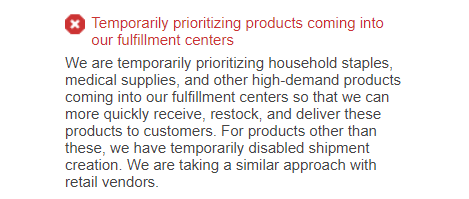
We are closely monitoring the developments of COVID-19 and its impact on our customers, selling partners, and employees. We are seeing increased online shopping, and as a result some products such as household staples and medical supplies are out of stock. With this in mind, we are temporarily prioritizing household staples, medical supplies, and other high-demand products coming into our fulfillment centers so that we can more quickly receive, restock, and deliver these products to customers.
For products other than these, we have temporarily disabled shipment creation. We are taking a similar approach with retail vendors.
This will be in effect today through April 5, 2020, and we will let you know once we resume regular operations. Shipments created before today will be received at fulfillment centers.
You can learn more about this on this Help page. Please note that Selling Partner Support does not have further guidance.
We understand this is a change to your business, and we did not take this decision lightly. We are working around the clock to increase capacity and yesterday announced that we are opening 100,000 new full- and part-time positions in our fulfillment centers across the US.
We appreciate your understanding as we prioritize the above products for our customers. Thank you for your patience, and for participating in FBA.
The Fulfillment by Amazon team
-Email to Amazon Sellers on 3/17/2020
While this may pose an inconvenience to FBA sellers, there is another fulfillment option to remain in stock: Merchant Fulfillment.
For brands that have traditionally sold through Fulfillment by Amazon (FBA) where they have outsourced shipping and fulfillment to Amazon, another option to fulfill products is Seller Central merchant Fulfilled. Using this model, sellers create an offer where the seller is responsible for shipping orders as they come in. On a product detail page, the offer states “Shipped from [SELLER NAME] and sold by [SELLER NAME]”. Sellers must keep an accurate update of stock quantities on hand in their Seller Central portal.
Direct Fulfillment for Vendors on Vendor Central
Here is a copy of the notice Vendors received regarding the prioritization for inbound shipments to Amazon:
Hello from Amazon,
We are closely monitoring the developments of COVID-19 and its impact on our customers, selling partners, and employees.
We are seeing increased online shopping, and as a result products such as household staples and medical supplies are out of stock. With this in mind, we are temporarily prioritizing household staples, medical supplies, and other high demand products coming into our fulfillment centers so that we can more quickly receive, restock and deliver these products to customers.
Beginning today you will see:
Reduced Purchase Orders: We have temporarily paused ordering for products that are not household staples, medical supplies, or other high demand products.
Extended delivery windows for existing purchase orders: We have extended the shipment/delivery windows for some existing purchase orders to give you more time to fulfill the order. Please ship your products toward the end of the extended window.
This will be in effect today through April 5, 2020, and we will let you know once we resume regular operations.
We understand this is a change to your business, and we did not take this decision lightly. We are working around the clock to increase capacity, and on March 16 announced that we are opening 100,000 new full- and part-time positions in our fulfillment centers across the US.
We appreciate your understanding as we prioritize the above products for our customers.
Thank you for your patience,
Amazon
-Email to Amazon Vendors on 3/17/2020
Vendors that sell first party directly to Amazon have the option to list the catalog on Amazon’s Direct Fulfillment platform. Vendor Central Direct Fulfillment is a selling model where Vendors list inventory values from their own warehouses, and when orders come in Amazon has the ability to have the Vendor fulfill the order on their behalf. The order is still from Amazon’s retail arm, but the fulfillment is placed on the Vendor. If the stock at Amazon is depleted, Vendors still have the opportunity to have an offer and fulfill their product through this Direct Fulfillment model.
Confidence in Amazon
We feel that Amazon is taking a great approach to how they are handling this COVID-19 situation by prioritizing household staples and medical supplies. By prioritizing these essentials they are getting the products that customers need into their fulfillment centers quicker, which allows them to fulfill these items to customers quicker. If your products fall into this restriction know that there are fulfillment options that can get your products in the hands of Amazon customers including merchant fulfillment and direct fulfillment. You can learn more about these and other Amazon selling business models in our Strategy White Paper or by reaching out directly to Goat Consulting.